GB WhatsApp for Android 2026: Full Installation & Setup Guide
GB WhatsApp for Android continues to attract users who are interested in additional customization, privacy controls, themes, and interface options. However, GB WhatsApp is an unofficial modification of WhatsApp, so Android users should understand the security, privacy, compatibility, and account-related risks before installing it.
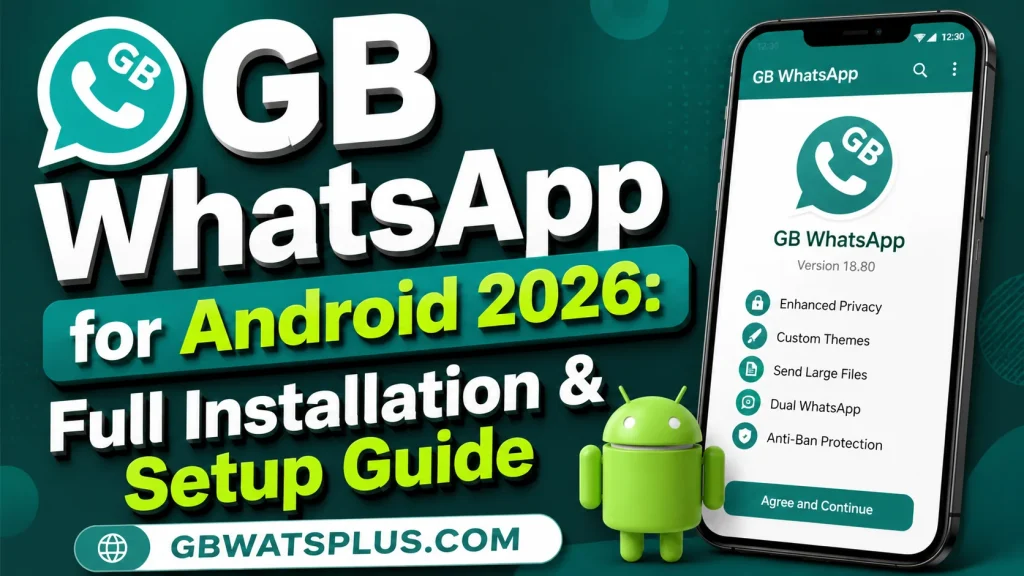
This complete 2026 guide explains the installation process, setup options, common problems, and important safety considerations. It is written for GBWATSPLUS.COM readers who want a clear overview without unnecessary technical language.
What Is GB WhatsApp for Android?
GB WhatsApp 26.50 is a modified version of the WhatsApp messaging application created by third-party developers. Unlike the official WhatsApp application, it is not developed or officially supported by Meta.
Depending on the particular build, GB WhatsApp may advertise additional options such as:
- Custom themes
- Extra privacy controls
- Chat customization
- Font changes
- Status-related tools
- Media customization
- App-lock features
- Additional interface settings
- Notification controls
Features can differ between versions, so users should not assume that every GB WhatsApp APK contains the same options.
Is GB WhatsApp Available for Android?
GB WhatsApp is primarily associated with Android because Android supports APK-based application installation.
An APK is the Android application package used to install applications outside the standard app-store installation process.
However, installing an APK from an unknown source introduces additional security risks. A file using the GB WhatsApp name could potentially be modified, outdated, or malicious.
For this reason, Android users should carefully consider the source and security of any APK before installing it.
GB WhatsApp vs Official WhatsApp
Before installation, it is important to understand the difference between the two applications.
| Feature | Official WhatsApp | GB WhatsApp |
|---|---|---|
| Developer | Meta | Third-party developers |
| Officially supported | Yes | No |
| Installation | Official distribution channels | Usually APK-based |
| Customization | More limited | Often extensive |
| Privacy options | Officially supported | Varies by build |
| Security support | Official | Third-party |
| Account risk | Lower | Additional risk |
| Updates | Official | Depends on developer |
If reliability and security are your highest priorities, the official WhatsApp application is generally the better choice.
Things to Check Before Installation
Before installing an unofficial WhatsApp modification, prepare your Android phone.
Check Android Compatibility
Make sure your device supports the Android version required by the particular application build.
Older Android versions may have compatibility issues with newer applications.
Free Some Storage
Keep enough storage available for the application and its data.
A lack of storage can cause installation or update problems.
Back Up Important Information
Before changing your messaging setup, preserve important photos, videos, documents, and other files.
Do not assume that every third-party WhatsApp modification will automatically restore your existing data.
Keep Your Phone Updated
Install available Android security and system updates before installing additional software.
Protect Your Verification Number
You will need access to the phone number associated with your WhatsApp account during account verification.
Never share verification codes with another person.
How to Download GB WhatsApp for Android
Because GB WhatsApp is an unofficial application, there is no official Meta download page for it.
This makes choosing an APK source particularly important.
Avoid websites that:
- Use excessive pop-ups
- Redirect you repeatedly
- Ask for account passwords
- Request verification codes
- Claim guaranteed anti-ban protection
- Force unrelated applications
- Ask you to disable security protections
- Offer suspicious “activation” services
A website claiming that an APK is “100% safe” does not prove that the file is safe.
Check the APK Carefully
Before installing any third-party APK, consider:
- File source
- Version information
- File size
- Requested permissions
- Android compatibility
- Security warnings
- Whether the file has been altered
If your device warns you about a potentially harmful application, do not simply ignore the warning.
Installing an APK on Android
Android devices can support applications installed from outside standard app stores, but the exact settings vary by Android version and manufacturer.
When an APK is downloaded, Android may require permission for the browser or file manager to install applications from that source.
Only enable such permission when you understand what you are installing.
After installation, it is a good idea to review the application’s permissions.
Step 1: Locate the APK
After downloading an APK, it is usually stored in your phone’s Downloads folder unless you selected another location.
Open your file manager and locate the downloaded file.
Check its name carefully before opening it.
Step 2: Start Installation
Tap the APK file and follow Android’s installation prompts.
If Android displays a security warning, read it carefully.
Do not proceed automatically just because you want to use the application.
Step 3: Review Permissions
After installation, review the permissions requested by the application.
Depending on the features being used, a messaging application may request access to certain device functions.
Do not grant permissions blindly.
If a permission seems unrelated to the application’s purpose, reconsider whether you should continue using the software.
Step 4: Open GB WhatsApp
Once installation is complete, open the application.
The exact interface will depend on the particular GB WhatsApp build.
You may see a welcome or account-verification screen.
Step 5: Enter Your Phone Number
If the application requests a phone number, enter a number that you are authorized to use.
Make sure the country code is correct.
You should have access to the number because verification may require an SMS or other supported verification process.
Step 6: Verify Your Number
WhatsApp may send a verification code to your phone number.
Enter the code only inside the legitimate application verification process.
Never send your verification code to a website, developer, friend, or support person.
Anyone asking you to provide the code should be treated with suspicion.
Step 7: Restore Available Data
If a compatible backup is detected, you may be offered a restoration option.
The exact restoration behavior can vary depending on the application and backup configuration.
Do not assume that all official WhatsApp backups will work perfectly with a modified application.
If your chats or media are important, preserve them before changing applications.
Step 8: Set Your Profile
After verification, you may be able to configure:
- Profile name
- Profile picture
- About information
- Privacy settings
Use information that you are comfortable sharing with your contacts.
Setting Up GB WhatsApp After Installation
Once the application is running, explore the available settings carefully.
Different builds may organize features differently.
Privacy Settings
Depending on the version, you may find controls related to:
- Last seen
- Online status
- Read receipts
- Typing indicators
- Recording indicators
- Status visibility
- Profile visibility
Remember that privacy controls do not automatically make an unofficial application secure.
Theme Settings
One of the popular reasons people use GB WhatsApp is customization.
You may find options for:
- Themes
- Chat backgrounds
- Colors
- Fonts
- Message bubbles
- Icons
- Home-screen appearance
Choose designs that keep text readable and avoid excessive visual effects.
Chat Settings
Explore the available chat options and adjust them according to your preferences.
You may find settings for:
- Conversation backgrounds
- Font sizes
- Message appearance
- Notifications
- Media behavior
Avoid changing too many settings at once.
If something stops working, it will be easier to identify the cause.
Notification Settings
Configure notifications carefully.
Message previews can expose private conversations when your phone is locked.
Android’s notification controls can help you decide what information appears on the lock screen.
App Lock
Some GB WhatsApp builds advertise built-in app-lock features.
If available, this may provide an additional layer of privacy.
However, your phone’s primary screen lock should remain enabled.
How to Keep GB WhatsApp Safer
There is no method that makes an unofficial WhatsApp modification completely risk-free.
However, responsible device-security practices can reduce avoidable risks.
Keep Android Updated
Install available security updates.
Review Permissions
Check what the application can access.
Protect Your Verification Code
Never share it.
Maintain Backups
Keep important personal files backed up separately.
Avoid Suspicious APKs
Do not install replacement versions from random websites whenever something goes wrong.
Avoid Spam
Do not use messaging features to send unwanted bulk messages.
Watch for Unusual Behavior
Pay attention to:
- Unexpected advertisements
- Excessive battery use
- Strange notifications
- Unknown applications
- Frequent crashes
- Security warnings
These may indicate a problem with the software or device.
Common GB WhatsApp Installation Problems
Installation Blocked
Android may block an APK because of security settings, compatibility issues, or a damaged file.
Do not disable important security protections simply to force installation.
App Not Installed
Possible causes include:
- Insufficient storage
- Incompatible Android version
- Package conflict
- Damaged APK
- Existing conflicting application
Check the cause before attempting another installation.
Verification Code Not Received
Possible causes include:
- Incorrect phone number
- Weak mobile connection
- SMS delay
- Temporary verification restrictions
- Application compatibility issues
Check your number and network connection first.
Application Keeps Crashing
Crashes may occur because of:
- Incompatible Android versions
- Bugs
- Damaged application data
- Unsupported features
- Conflicting applications
- Problematic themes
Try restarting your phone and reviewing recent settings changes.
If problems continue, consider returning to the official WhatsApp application.
Notifications Are Delayed
Android battery-management settings can sometimes affect background notifications.
Check notification permissions and battery settings.
Do not disable security features unnecessarily.
What If GB WhatsApp Stops Working?
If GB WhatsApp suddenly stops working, avoid immediately downloading another APK from a random website.
First determine whether:
- Your Android version is supported.
- The application is crashing locally.
- Your internet connection works.
- Notifications are enabled.
- Your account is properly verified.
- A recent configuration change caused the problem.
If the application remains unreliable, the official WhatsApp application may be the safer solution.
Should You Use GB WhatsApp on Your Main Phone?
This depends on your priorities.
If your phone contains important conversations, documents, school information, family communication, or other sensitive data, carefully consider whether an unofficial application is appropriate.
GB WhatsApp can provide additional customization, but those features come with additional security and account risks.
For users who need maximum reliability, Official WhatsApp is generally the safer choice.
GB WhatsApp Android Setup Checklist
| Setup Task | Recommended Action |
|---|---|
| Check Android version | Confirm compatibility |
| Free storage | Make enough space |
| Protect important files | Create backups |
| Check APK source | Avoid suspicious websites |
| Review security warnings | Do not ignore them |
| Install carefully | Follow Android prompts |
| Verify phone number | Use a number you control |
| Protect verification code | Never share it |
| Review permissions | Remove unnecessary access where possible |
| Configure privacy | Use appropriate settings |
| Configure notifications | Protect lock-screen information |
| Monitor performance | Watch for unusual behavior |
Frequently Asked Questions
Can I install GB WhatsApp on Android in 2026?
GB WhatsApp is an Android-focused third-party modification, but compatibility depends on the specific build and Android version.
Is GB WhatsApp officially supported?
No. GB WhatsApp is an unofficial modification and is not officially supported by Meta.
Do I need to back up WhatsApp before installing GB WhatsApp?
Backing up or separately preserving important information is strongly recommended before changing messaging applications.
Can I use my existing WhatsApp number?
A WhatsApp account is associated with a phone number, but using an unofficial client can introduce account and verification risks.
Is GB WhatsApp safe to install?
There is no way to guarantee that an unofficial APK is completely safe. The source, build, permissions, and software behavior all matter.
Why does Android block my GB WhatsApp APK?
Android can block applications because of security settings, compatibility problems, damaged files, package conflicts, or other reasons.
Can GB WhatsApp cause account restrictions?
Using an unofficial WhatsApp client can create additional account-related risks.
Can I use GB WhatsApp and Official WhatsApp together?
Some configurations may allow separate applications or accounts, but compatibility depends on the particular build and Android device.
Final Thoughts
GB WhatsApp for Android offers users an alternative messaging experience with additional customization and privacy features. However, the application is unofficial, which means users need to consider security, privacy, account restrictions, compatibility, and backup issues before installation.
If you decide to explore GB WhatsApp in 2026, start by protecting your important information and carefully evaluating the APK source. Keep your Android device updated, review permissions, protect your verification code, and never trust claims of guaranteed security or permanent anti-ban protection.
For users who value official support and maximum reliability, the official WhatsApp application remains the safer choice.
GBWATSPLUS.COM recommends making an informed decision before installing any unofficial messaging application. Customization can be useful, but protecting your account, device, and personal information should always come first.