How to Use Dual WhatsApp Accounts with GB WhatsApp in 2026
Using two WhatsApp accounts on one Android phone can be useful for people who want to keep different types of communication separate. For example, someone may want one account for personal conversations and another for school, family, business, or other activities.
GB WhatsApp is often promoted as a way to manage multiple WhatsApp accounts because modified builds may support additional account configurations or can be installed alongside another WhatsApp package. However, GB WhatsApp is an unofficial third-party modification, so account compatibility, installation behavior, and security can vary between versions.
In 2026, Android users also have official options for managing multiple accounts, depending on their device, Android version, and WhatsApp’s supported features. Therefore, users should understand both the benefits and risks before choosing an unofficial solution.
This guide from GBWATSPLUS.COM explains how dual-account setups work, what users should prepare beforehand, common problems, and safer alternatives.
What Does a Dual WhatsApp Account Mean?
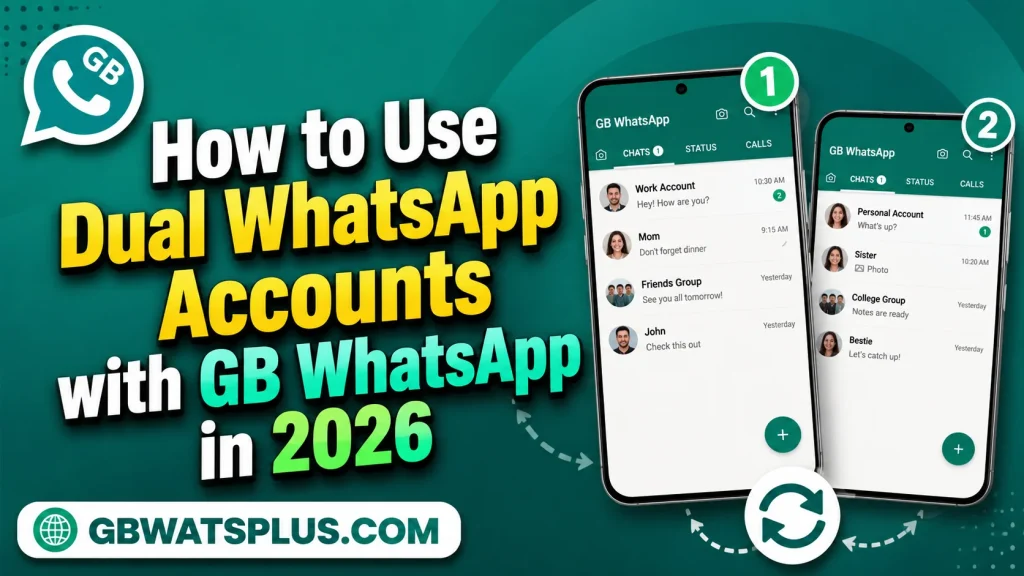
A dual WhatsApp setup means using two different phone numbers for separate WhatsApp accounts on the same Android device.
Each account can have its own:
- Phone number
- Profile
- Contacts
- Conversations
- Groups
- Notifications
- Settings
The purpose is to keep different communication environments separate.
For example, you may want:
Account 1: Personal communication
Account 2: School, work, or another legitimate purpose
The exact setup depends on your Android device and the WhatsApp applications being used.
Can GB WhatsApp Be Used for Two Accounts?
Some users install GB WhatsApp alongside the official WhatsApp application to maintain separate accounts.
This can be possible when the applications use different package identifiers and the device supports the configuration.
However, compatibility is not guaranteed.
Different GB WhatsApp builds may use different package configurations, and updates can change how they work alongside other applications.
Users should therefore avoid assuming that every GB WhatsApp version can automatically support two accounts.
Official WhatsApp Multiple-Account Support
Before installing an unofficial modification, check whether your official WhatsApp application already supports the account-management feature you need.
WhatsApp has introduced official support for multiple accounts on supported devices and versions.
This is generally the safer option because it keeps your accounts inside the official WhatsApp environment.
If the official application provides the functionality you need, there is usually little reason to introduce the additional security risks associated with an unofficial client.
Why Do People Want Dual Accounts?
There are several legitimate reasons for maintaining separate accounts.
Personal and Work Communication
Keeping work-related messages separate from personal conversations can make organization easier.
Different Contact Groups
Some users may want separate accounts for different communities or purposes.
Privacy and Organization
Separate accounts can make it easier to control which contacts have access to each profile.
Device Convenience
Managing two accounts on one phone can be more convenient than carrying two devices.
What You Need Before Setting Up a Second Account
Before setting up a second WhatsApp account, make sure you have:
- A second legitimate phone number
- Access to the number for verification
- A compatible Android device
- Enough storage space
- Important data backed up
- A secure screen lock
- Updated Android software
You should never attempt to create accounts using stolen, temporary, or unauthorized phone numbers.
Step 1: Check Your Official WhatsApp Options
The first step should always be checking the official WhatsApp application.
Open WhatsApp and explore the account settings.
Depending on your version, you may find an option for adding another account.
If that feature is available and meets your needs, it is generally preferable to use it rather than installing a modified application.
Step 2: Decide Whether GB WhatsApp Is Necessary
If the official WhatsApp application does not provide the configuration you need, you may be considering GB WhatsApp.
Before doing so, understand the risks.
GB WhatsApp is not officially developed or supported by Meta.
Potential concerns include:
- Account restrictions
- Unverified APK sources
- Privacy risks
- Malware
- Compatibility issues
- Unreliable updates
- Data-loss problems
Do not proceed simply because a website promises “100% safe” or “100% anti-ban” software.
Step 3: Protect Your Existing Account
If your existing WhatsApp account contains important conversations, photos, videos, or documents, make sure those files are preserved before changing your setup.
Do not assume that installing a second application will automatically preserve every piece of information.
Keep important media and documents in a separate secure backup where appropriate.
Step 4: Prepare the Second Phone Number
A second account requires a phone number that you are authorized to use.
You should have access to the number because WhatsApp may require a verification code.
Never share your verification code with another person.
If someone asks you to send the code to them, do not do it.
Step 5: Understand App Compatibility
Two WhatsApp applications can coexist only when the Android device and application packages allow it.
Some modified builds are designed to coexist with the official application, while others may conflict.
If Android reports that an application cannot be installed because of a package conflict, do not immediately uninstall your existing WhatsApp.
First determine what is causing the conflict and protect your data.
Step 6: Keep Separate Account Information
When two accounts are configured, keep their information organized.
For example:
Personal Account
- Personal profile
- Family contacts
- Personal groups
Second Account
- Separate profile
- Different contacts
- Different groups
This reduces the chance of accidentally sending a message from the wrong account.
Step 7: Customize Notifications
Two accounts can generate many notifications.
To keep your phone manageable, configure notification settings carefully.
You can use different notification sounds or labels where supported.
Also consider privacy.
Message previews on a lock screen can expose personal conversations.
Android’s notification settings can help control what appears when your phone is locked.
Step 8: Keep Account Names Clear
Use clear profile information so that you can quickly identify which account is active.
A simple profile photo or name can reduce confusion.
This is particularly useful when both accounts are used regularly.
Important Security Considerations
Never Share Verification Codes
A WhatsApp verification code should remain private.
No friend, website administrator, GB WhatsApp developer, or stranger needs your verification code to “activate” your account for you.
If someone asks for it, treat the request as suspicious.
Use Your Own Phone Numbers
Only use numbers that you are authorized to control.
Do not use someone else’s number without permission.
Avoid Fake Account Services
Some websites claim to provide temporary numbers or account activation services.
These services can create privacy and account-ownership problems.
A legitimate personal number is safer and more reliable.
Protect Both Accounts
Two accounts mean two sets of conversations and personal information.
Use appropriate privacy settings on both accounts.
Keep your device protected with a strong PIN, password, or supported biometric security.
Be Careful With GB WhatsApp APK Sources
If a second-account setup involves an unofficial APK, the source of the file becomes particularly important.
Do not assume that an APK is safe because:
- It has a high download count.
- A website calls it “official.”
- The page claims “anti-ban.”
- The file has a new version number.
- Other websites advertise the same name.
Popularity is not proof of security.
Common Dual WhatsApp Problems
Problem 1: Account Verification Fails
Verification can fail for several reasons.
Possible causes include:
- Incorrect phone number
- Poor network connection
- SMS delays
- Application incompatibility
- Account restrictions
- Problems with the particular client
If verification repeatedly fails with an unofficial client, consider using the official WhatsApp application.
Problem 2: Both Applications Cannot Be Installed
This can happen when the packages conflict.
Different Android devices handle application cloning and package management differently.
Your phone may have its own built-in app-cloning feature.
Check your device’s supported features before installing additional third-party modifications.
Problem 3: Notifications Do Not Arrive
Android battery optimization can sometimes limit background activity.
Check:
- Notification permissions
- Battery settings
- Background activity
- Data restrictions
- Application settings
However, do not disable important security protections just to make an unofficial application run.
Problem 4: Messages Appear on the Wrong Account
This can happen if contacts are confused about which number they are messaging.
Use clear profile names and carefully check the active account before sending important messages.
Problem 5: Data Does Not Transfer
Moving between WhatsApp clients can create backup and restoration problems.
Never assume that data from an official WhatsApp installation will automatically appear in a modified application.
Protect important files separately.
Official Dual Accounts vs GB WhatsApp
| Area | Official WhatsApp | GB WhatsApp |
|---|---|---|
| Officially supported | Yes | No |
| Multiple-account options | Supported on compatible versions/devices | Depends on build |
| Security environment | Official | Third-party |
| APK source concerns | Lower | Higher |
| Account reliability | More predictable | Additional risks |
| Customization | Controlled | Often extensive |
| Updates | Official | Third-party |
| Technical support | Official | Limited/unofficial |
Which Option Is Better?
If your phone and WhatsApp version support multiple official accounts, that is generally the preferred option.
It provides the convenience of multiple accounts without introducing an unofficial WhatsApp modification.
GB WhatsApp may be attractive if you specifically want customization features, but users should understand that this choice introduces additional risks.
Using Android’s Built-In App Cloning
Some Android manufacturers provide built-in application cloning or dual-app functionality.
The feature may have names such as:
- Dual Apps
- App Clone
- Clone Apps
- Dual Messenger
- Parallel Apps
The exact name depends on the manufacturer.
This type of feature can sometimes allow two copies of a supported application to operate independently.
Before using a third-party modification, check whether your phone already includes this functionality.
Why Built-In Cloning Can Be Better
A built-in Android manufacturer feature may provide a more controlled method of running two copies of an application.
It also avoids downloading an additional unofficial messaging client solely for account separation.
However, availability varies by device.
Privacy Tips for Two Accounts
Managing two accounts means managing two sets of privacy settings.
Review the following on both accounts:
Profile Visibility
Choose who can see your profile information.
Last Seen
Select an appropriate privacy setting.
Online Visibility
Use available official privacy controls.
Status Audience
Check who can view your status updates.
Group Invitations
Limit unwanted group additions where supported.
Blocked Contacts
Review blocked accounts regularly.
Notifications
Prevent sensitive message previews from appearing publicly.
Should Students Use Two WhatsApp Accounts?
Students may want separate accounts for personal and school-related communication.
The safest approach is to use official WhatsApp features whenever possible.
If you are using WhatsApp for school groups or important communication, reliability is especially important.
Losing access to an account because of an unofficial application can be inconvenient.
Should Businesses Use GB WhatsApp for Multiple Accounts?
Businesses should be especially cautious.
Business conversations can contain:
- Customer information
- Orders
- Documents
- Addresses
- Payment details
- Internal discussions
Using unofficial software for this information can introduce unnecessary risks.
Businesses should generally use official WhatsApp or officially supported business solutions.
Frequently Asked Questions
Can I use two WhatsApp accounts on one Android phone?
Yes, depending on your Android device and WhatsApp version. Official WhatsApp may support multiple accounts, and some Android phones provide built-in application cloning.
Can GB WhatsApp run alongside Official WhatsApp?
Some configurations may allow this, but compatibility depends on the particular GB WhatsApp build and Android device.
Do I need two phone numbers?
Yes. Separate WhatsApp accounts generally require separate phone numbers.
Can I use the same number for two WhatsApp accounts?
A single phone number should not be treated as two independent WhatsApp accounts. Account configuration depends on WhatsApp’s supported account system.
Is GB WhatsApp safe for a second account?
There is no way to guarantee that an unofficial GB WhatsApp client is safe. It can introduce additional security, privacy, and account risks.
What should I do if the second account cannot verify?
Check the number, network connection, and verification process. If the problem continues with an unofficial client, consider using the official WhatsApp application.
Can I transfer my existing chats to the second account?
Chat transfer and backup behavior depends on the applications, account, and supported backup process. Important information should be preserved before making changes.
Final Thoughts
Using two WhatsApp accounts can be convenient when you want to separate different areas of communication. In 2026, users should first check whether Official WhatsApp already provides the multiple-account functionality they need or whether their Android phone includes a built-in app-cloning feature.
GB WhatsApp is sometimes used as part of dual-account setups, but it is an unofficial modification. This means users need to consider APK security, account restrictions, privacy, compatibility, backups, and update reliability.
If you decide to explore a GB WhatsApp dual-account setup, protect both accounts carefully, use only phone numbers you control, never share verification codes, maintain backups, and pay attention to security warnings.
For most users, an officially supported multiple-account solution is the safer and more reliable choice.
GBWATSPLUS.COM recommends choosing convenience only after considering account security and data protection. Two accounts can make communication easier, but protecting both accounts should always be the first priority.